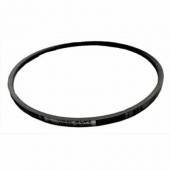
|
Troubleshooting
Always switch off the machine and unplug it before removing faults.
Machine not running or stops suddenly
Possible causes
Solution
-
Check fuse and power supply
-
Check microswitch
-
Have motor/switch checked by technician
-
Ensure safety cover activates microswitch
Machine stops during operation
Causes
-
Worn or blunt blades
-
Overload
-
Microswitch not engaged
Solution
Workpiece jams
Cause
Solution
Poor surface finish
Causes
-
Blunt blades
-
Chips blocking blades
-
Uneven feed
Solution
-
Clean machine
-
Sharpen/replace blades
-
Feed evenly
Rough surface
Cause
Solution
Cracked surface
Causes
Solution
-
Work with grain
-
Reduce depth
Poor feed
Causes
-
Wrong direction
-
Dirty table
-
Worn rollers
Solution
-
Clean table
-
Apply wax
-
Check feed rollers
After any repair:
Always check and reactivate all safety devices.
Typical spare parts
Most issues are caused by normal wear parts:
-
Blades / knives
-
Capacitor
-
On/off switch
-
Microswitch
-
Belts
-
Seals
-
Bearings
We stock the most common spare parts.
Please provide model and part number when contacting us.
|